
Local SEO for Mumbai: How to Rank on Google Maps & Local Search (2026)
When a business owner in Borivali searches "CA near me" or a homeowner in Thane searches "plumber Thane West," Google shows a map with 3 businesses at the top. That map pack drives enormous foot traffic and enquiries. Getting into it is the highest-ROI digital marketing move for most Mumbai local businesses — and it's completely free to be listed.
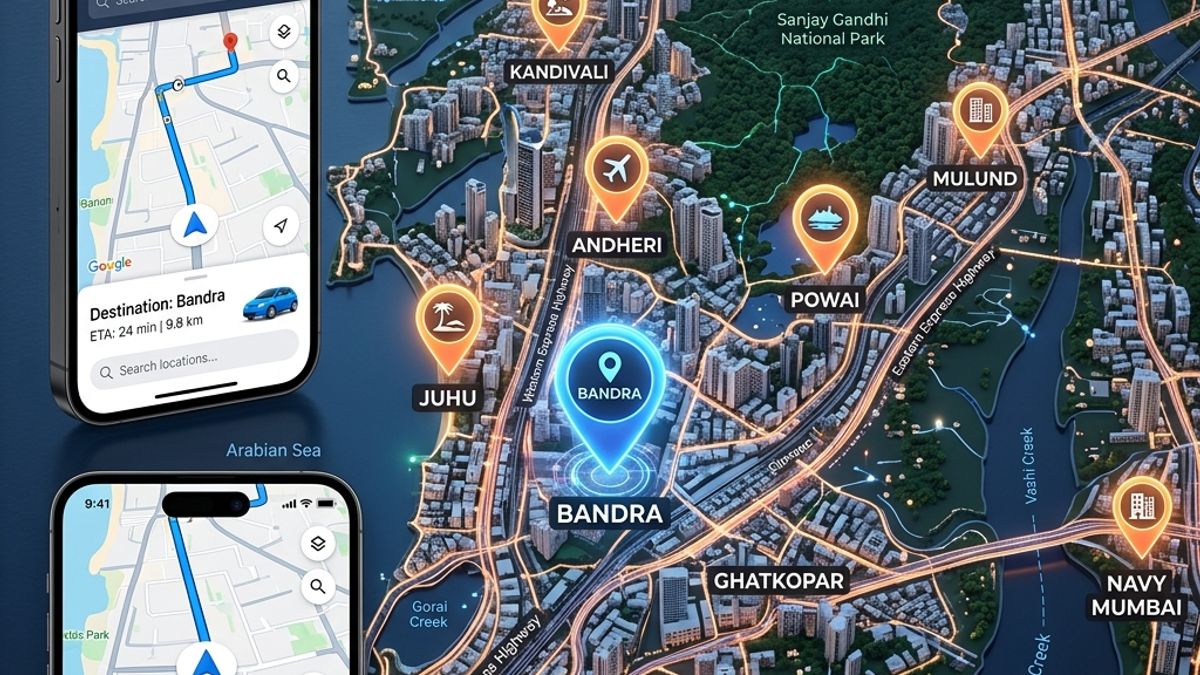
How Local Search Works in Mumbai
When someone searches for a local business, Google returns two types of results: organic website results, and the "local pack" — a map with 3 business listings. These are driven by entirely different ranking systems.
The local pack rankings are determined by Google Business Profile data, proximity, reviews, and local citation signals — not just your website's SEO. A business with a perfectly optimised website but a neglected GBP will lose to a competitor with a mediocre website but an excellent GBP.
In Mumbai specifically, local search is extremely suburb-specific. A business in Kandivali East doesn't just compete citywide — it primarily competes with other businesses in Kandivali and adjacent areas for "near me" searches. This means the barrier to local map pack ranking is much lower than people think.
Google Business Profile: Full Setup Guide
Google Business Profile (formerly Google My Business) is the single most important tool for local SEO. Setup steps:
- Claim or create your listing: Go to business.google.com. Search for your business name — if a listing exists already, claim it. If not, create a new one.
- Choose the right primary category: This is the single most important GBP decision. "Digital Marketing Agency" and "Web Design Company" are different categories with different local competition levels. Research which category your top competitors use.
- Add secondary categories: You can add up to 9 additional categories. For example, a CA firm might have "Chartered Accountant" as primary and add "Tax Consultant," "Financial Consultant," "Business Registration Service."
- Complete every field: Business hours, phone, website, address, description (750 characters — use keywords naturally). Incomplete profiles rank lower.
- Add photos: Upload at least 10 photos — exterior, interior, team, product/service photos. Profiles with photos get 42% more direction requests and 35% more website clicks, per Google's own data.
- Enable messaging: Turn on Google Business messaging so customers can contact you directly from your GBP listing.
- Set up products/services: Add all your services with descriptions and prices where applicable. This creates additional keyword signals for Google.
NAP Consistency: Why It Matters
NAP stands for Name, Address, Phone number. Google cross-references your business details across the web — your website, GBP, JustDial, IndiaMart, and dozens of other directories. Inconsistencies send a confused signal and hurt your local rankings.
Common NAP inconsistencies that hurt Mumbai businesses:
- Business name listed differently across platforms ("Akham Digital" vs "Akham Digital Solutions" vs "Akham Digital Pvt Ltd")
- Old address from before a business moved still showing on directories
- Phone number listed with and without country code (91-8355955000 vs 8355955000 vs +91 83559 55000)
- Address formatting variations ("Borivali West" vs "Borivali (W)" vs "Borivali")
Audit your listings regularly. Search your business name on Google and check every result for NAP accuracy. Fix inconsistencies by logging into each directory and updating the information.
Local Citations for Mumbai Businesses
A citation is any online mention of your business name, address, and phone number. Key Mumbai-relevant citation sources:
| Platform | Priority | Notes |
|---|---|---|
| Google Business Profile | Critical | Most important — do this first |
| JustDial | High | Dominant in Mumbai for local business search |
| Sulekha | High | Strong for service businesses |
| IndiaMart | High | B2B businesses especially |
| Yelp India | Medium | Growing but smaller Indian footprint |
| Facebook Business Page | Medium | Social signal + citation |
| Bing Places | Medium | Bing's local business directory |
| Yellow Pages India | Medium | yp.co.in |
| Industry-specific directories | Varies | CAclub India for CAs; MagicBricks for real estate; Practo for doctors |
Create or claim listings on all high-priority platforms with consistent NAP. Free listings are sufficient on most platforms — don't pay for premium listings until you've captured all the free ones.
Review Strategy: Getting and Managing Reviews
Google reviews are a major local ranking factor and the most visible trust signal to prospective customers. A structured review strategy:
Getting More Reviews
- Ask at the right moment: Request a review immediately after a successful transaction or delivery — when satisfaction is highest. Don't wait days or weeks.
- Make it easy: Create a short URL to your GBP review link (Google provides this in GBP Dashboard). Send it via WhatsApp with a message like "We'd love to hear your feedback — takes 1 minute."
- Follow up once: If a client hasn't reviewed after a week, send one polite reminder. More than one follow-up is pushy and counterproductive.
- Never pay for or incentivise reviews: Google detects review manipulation and can remove your listing. Clients who leave honest reviews after receiving good service are the only sustainable strategy.
Responding to Reviews
- Respond to every review — positive and negative — within 48 hours
- For positive reviews: thank the reviewer by name, mention a specific detail they shared, invite them back
- For negative reviews: acknowledge their concern, offer to resolve it offline (provide WhatsApp or email), never argue publicly
Suburb-Level Targeting Strategy for Mumbai
Mumbai is geographically large, but most local businesses serve specific suburban clusters. Effective suburb targeting:
- Service area businesses (no physical address): Set your service areas in GBP to include specific suburbs — Borivali, Kandivali, Malad, Andheri, Goregaon. You can add up to 20 areas.
- Location pages on your website: Create individual pages for each key suburb you serve: "/ca-firm-borivali", "/ca-firm-kandivali", etc. Include local landmarks, testimonials from clients in that area, and suburb-specific content.
- GBP posts with suburb mentions: Weekly GBP posts mentioning specific suburbs ("We now offer same-day DSC delivery in Malad and Goregaon") add local keyword signals.
- Target adjacent suburbs progressively: Rank for your primary suburb first, then expand. Trying to rank for 10 suburbs simultaneously dilutes effort. Master Borivali before expanding to Kandivali.
Map Pack Ranking Factors Explained
Google's local ranking algorithm weighs three main factors:
- Relevance: How well your GBP matches the search query. Completeness of your profile, categories, services, and description all contribute.
- Distance: How far your business is from the searcher (or from the location they specified in their search). You can't change your physical location, but you can expand your service area for service businesses.
- Prominence: How well-known your business is online. Reviews, review volume, citations, website authority, and online mentions all contribute to prominence. This is the factor you can most actively improve.
Let Akham Set Up and Optimise Your Local SEO
GBP setup, NAP audit, citation building, review strategy — we handle it all. Mumbai businesses rank faster with local expertise.
Start Your Local SEO on WhatsApp
Schema Markup & Rich Snippets: Increasing CTR on Google Search
How to implement Organization, LocalBusiness, FAQ, Product, and Service JSON-LD schemas to win rich snippets and boost organic click-through rates.

Programmatic SEO: Scaling Local Landing Pages Without Quality Penalties
How to build suburb-level and service-location landing pages that rank on Google Maps and organic search without triggering thin content or doorway page penalties.

E-Commerce SEO: Optimizing Category & Product Pages for Indian Buyers
Technical on-page SEO, faceted navigation crawling controls, internal linking structures, and conversion copywriting for high-revenue online stores.